

If you’re running B2B outbound on LinkedIn, this is your complete test-and-learn guide. This post acts as your LinkedIn outbound and Sales Navigator workbook, walking you through the essential steps: ICP definition, targeting, messaging, safety limits, and profile optimization. This guidance is based on current 2025 playbooks from leading outbound agencies.
Define Your ICP (The Non-Negotiable First Step)
Top agencies consistently tie higher reply and conversion rates to a crystal-clear Ideal Customer Profile (ICP) before any message is sent. A strong LinkedIn ICP framework drives everything from personalization depth to cost-per-meeting.
ICP Checklist:
- Industry: (NAICS/SIC range)
- Geography: (and buyer headcount by region)
- Company size: (employees/revenue)
- Buying committee: (titles + adjacent influencers)
- Trigger events: (funding, hiring spikes, tech installs, job changes)
- Pains/Jobs-to-be-done: (ranked)
- Disqualifiers: (churn-risk segments, low LTV)
Operationalize this ICP in Sales Navigator. Use its 20–50+ advanced filters (headcount, seniority, function, technologies used, posting activity, job changes) to move beyond basic search and achieve true audience precision.
Build Your Sales Navigator Targeting System
Use your ICP framework to build two types of lists in Sales Navigator:
- Persona Lists: Create lists based on your target personas (e.g., “VP Manufacturing Ops, 200–1,000 employees, North America”) and save them as lead lists.
- Account Lists: Build lists using firmographics and buying signals, like high growth, recent funding, or news mentions. Use Alerts to time your outreach perfectly with job changes or relevant company posts.
Agencies stress the need for ongoing list hygiene. Regularly filter out inactive profiles and those who don’t truly match your ICP to keep reply rates high.
Write Messages That Get Replies
The best-performing messages emphasize sequenced value delivery and personalization over gimmicks. Top agencies often use a three-stage flow: Awareness, then Value, then Ask.
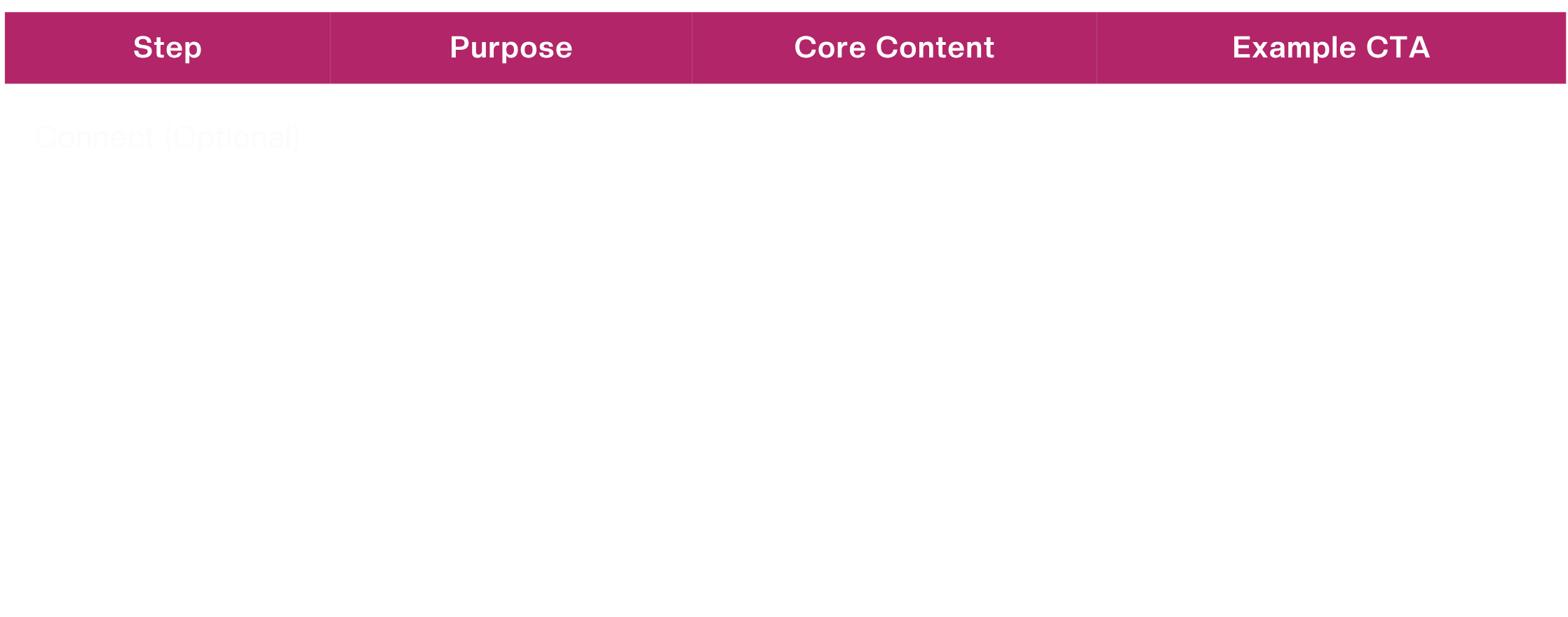
Proven Sequence Skeleton:
- Connect (Optional): One line of relevance (trigger/event) + intent.
- Message 1 (Value): One pain + one outcome + soft CTA (“Worth a 10-min look?”).
- Message 2 (Proof): A specific result, micro-case study, or quantified win. Offer a resource.
- Message 3 (Conversation): Ask a single, sharp question tied to their role or KPI.
- Message 4 (Nudge): A polite check-out. (“Ok to circle back next quarter?”) or offer an alternative CTA (like a guide or demo).
Most agencies report the strongest engagement with 3–5 total touches spaced 4–7 days apart. This provides enough persistence without feeling like spam.
LinkedIn Messaging Limits & Safe Activity (2025)
Understanding LinkedIn messaging limits 2025 is crucial for account health. Agencies strongly advise a conservative approach to avoid being throttled or banned.
While you may hear different numbers, the safest consensus for connection requests is to target around 20 per day (or ~100 per week). Even agencies that see higher caps possible still recommend a “go-slow” principle, capping activity at a maximum of 30–50 per day to protect long-term account health.
Practical Workbook Rule:
- Start at 10–20 requests/day and hold for two weeks.
- If your acceptance rate is high (e.g., over 35%) and you have no warnings, increase by +5 per day.
- Continue this slow ramp until you reach a ceiling of ~30–40/day.
- Pause immediately if your acceptance rate drops or you receive any warnings.
Profile Optimization That Supports Outbound
Your LinkedIn profile is your landing page; it must support your outbound message.
- Headline: Use an outcome-focused formula: “Your Role | Specific Outcome for Your ICP | Credibility Cue” (e.g., “RevOps Leader | 20–30% Pipeline Lift for SaaS | Ex-TopCompany”).
- About Section: Keep it short. Use three blocks: Who you help, what pains you solve, and 2–3 quantified wins plus a clear CTA.
- Featured Section: Add a case study, 1-pager, or demo link that speaks directly to your ICP.
- Activity: Stay active. Comment weekly on your ICP’s posts and publish 1-2 insightful posts of your own. Prospects are more likely to accept requests from people they’ve “seen around.”
Benchmarks to Calibrate Expectations
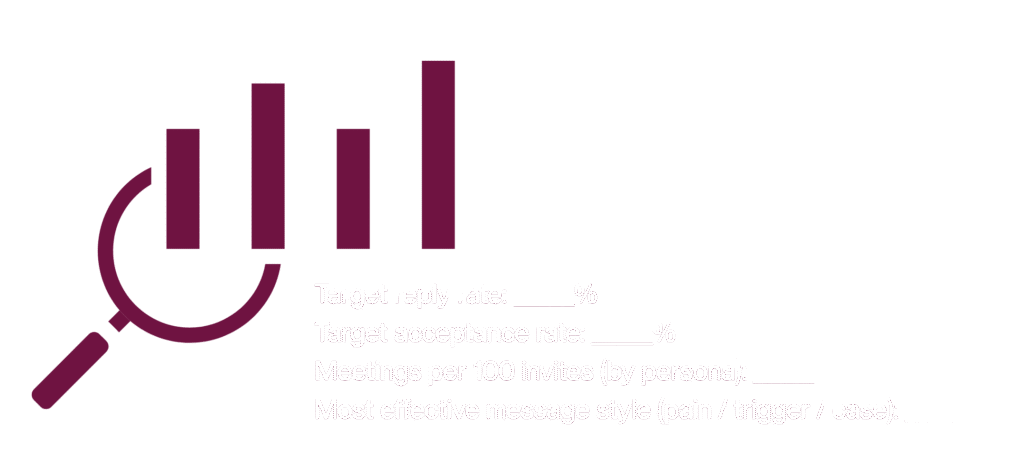
You can’t improve what you don’t measure. Use 2025 industry benchmarks to set realistic targets. Track these KPIs in your workbook:
- Baseline reply rate target: ____%
- Acceptance rate target: ____%
- Meetings per 100 invites (by persona): ____
- Top-performing message angle (pain, trigger, case): ____
Your Weekly Workbook Loop
- Monday: Refresh your Sales Navigator lists (checking for job changes, new hires, funding news) and queue 50–150 targeted leads.
- Tue–Thu: Execute your connection request and first-message sequence. Publish one insightful post and comment on 5+ ICP posts to warm up future prospects.
- Friday: Review your acceptance and reply rates. If acceptance is high (>35%) and you have zero warnings, consider a small ramp-up for the following week.
- Ongoing: Maintain your 3–5 touch follow-up sequence.
Copy Blocks You Can Adapt
- Connection Note (Optional): “Noticed your team’s hiring in Ops after the new line install—curious how you’re tackling [pain]. I work with [ICP] on [outcome]. Open to connect?”
- First Message (Value-Led): “Saw your post on [trigger]. When [ICP] hits [pain], we usually help them cut [metric] by __% in __ weeks (ex: [mini-proof]). Worth a 10-min look next week?”
- Follow-Up (Resource): “Here’s a 2-min breakdown of how [peer ICP] handled [pain] and got [result]. If relevant, happy to share the checklist we use.”
Troubleshooting Rules of Thumb
- Low Acceptance (<25%)? Your ICP targeting is off, or your profile lacks credibility. Tighten your SN filters and rewrite your headline/About section to be outcome-first.
- Low Replies (despite high acceptance)? Your message is too generic. Add role-specific pains, personalization triggers (funding, new hires, tech stack changes), and social proof.
- Account Warnings? Immediately decrease your daily invitations. Focus on “warm” interactions (like commenting and engaging) for 1–2 weeks before resuming outbound.
Conclusion: Your Path to Outbound Success
Mastering LinkedIn outbound is not about finding a single template or gimmick. As this LinkedIn outbound and Sales Navigator workbook demonstrates, success is a systematic process built on a clear LinkedIn ICP framework, an optimized profile, and disciplined, value-first messaging.
Use these steps as your starting point, but remember to treat it as a living document. Continuously test your messaging, track your benchmarks, and respect the LinkedIn messaging limits 2025 to build a sustainable and scalable pipeline.